Artificial Intelligence tools like ChatGPT and Copilot have become a core part of our workflows. They help us write emails, analyze data, debug queries, and even generate excuses when we forget to reply someone: “Sorry, I missed this because I was in a meeting.”
But recently, something happened during one my DAX teaching sessions that reminded me of a very important truth:
AI is helpful, powerful, fast… but it is not always correct. And when people stop thinking for themselves, AI becomes dangerous instead of helpful.
Let me explain.
The Background – Teaching DAX to a Student
So, I was teaching one of my private students DAX. We were writing a measure that involved CONTAINSSTRING. Simple stuff. We wrote the code, ran it, and everything worked perfectly inside Power BI.
I like to double-check everything. Whether it’s DAX, Excel, or even whether I locked my door. (Every African knows that feeling where you walk back home halfway because you aren’t sure 😅.)
So, after we verified it manually, visually, and even through Excel, I said:
“Let’s ask AI too. Just to see what it will say.”
Ah. That’s when the drama started.
The DAX Code in Question
Here’s the simple measure we wrote:
TotalSalesQtyforChain=VAR_ProductFilterWord="Chain"RETURNCALCULATE ( SUM ( SalesOrderDetail[OrderQty] ), // Line for Total QtyCONTAINSSTRING(Products[Name], _ProductFilterWord)) // Filter here
DAX
Power BI executed it without issues. The results matched our:
visual totals
manual calculations
Excel cross-checking
Everything was perfect.
At this point, we were confident.
But then we got curious…
AI’s Confident (but Wrong) Response
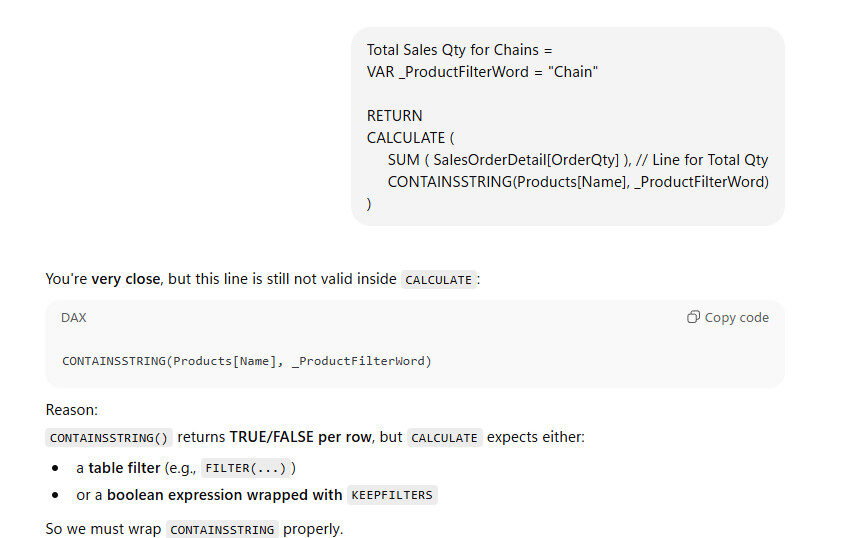
We asked both ChatGPT and Microsoft Copilot to review the code.
And both of them basically said:
❌ “Your code is wrong.” ❌ “DAX won’t accept this.” ❌ “You must wrap this inside a FILTER function.” ❌ “Or use KEEPFILTERS instead.”
They were so confident. So bold. So loud.
Meanwhile Power BI was there quietly minding its business like:
Now this IS the clean SQLBI-recommended style – and it’s absolutely correct.
But we implemented it and compared the results to the “AI-wrong” version.
Guess what?
Both Versions Produced the SAME Result
Every single test produced the same answer.
Slice → same
Drill → same
Filter → same
Manual check → same
Excel → same
At this point, my student and I just looked at each other like:
“Eii… so who should we believe in this life?”
And this is when I realized (again):
AI often gives “textbook DAX” answers, not “Power BI engine reality”.
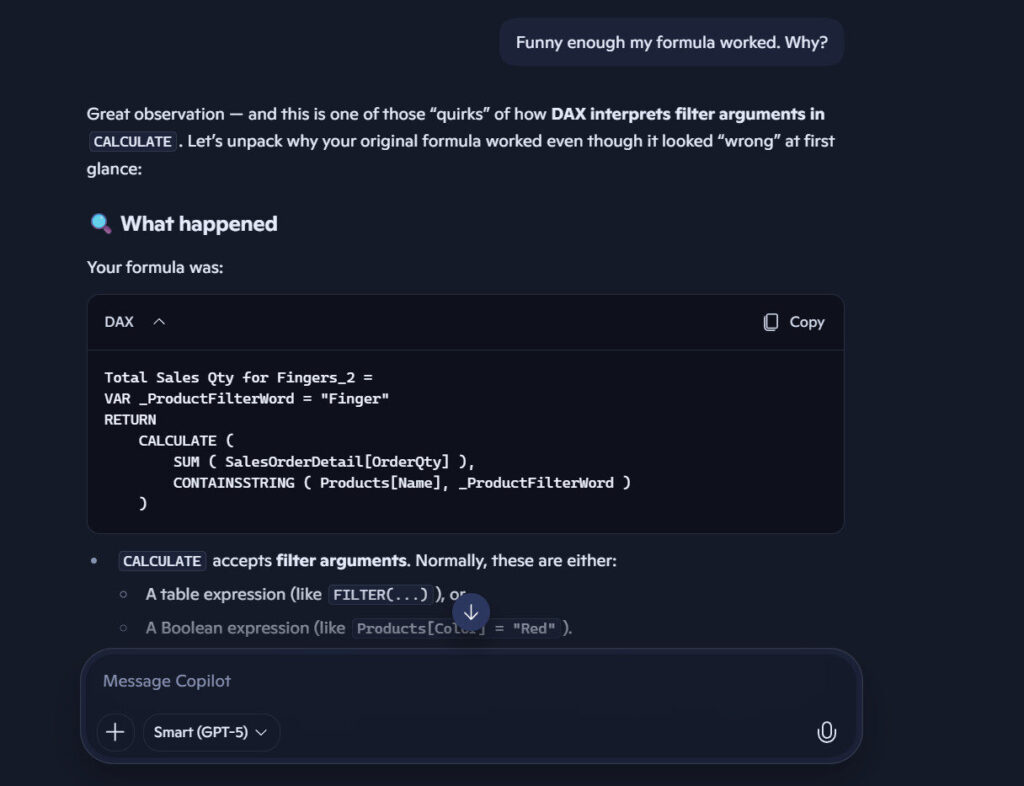
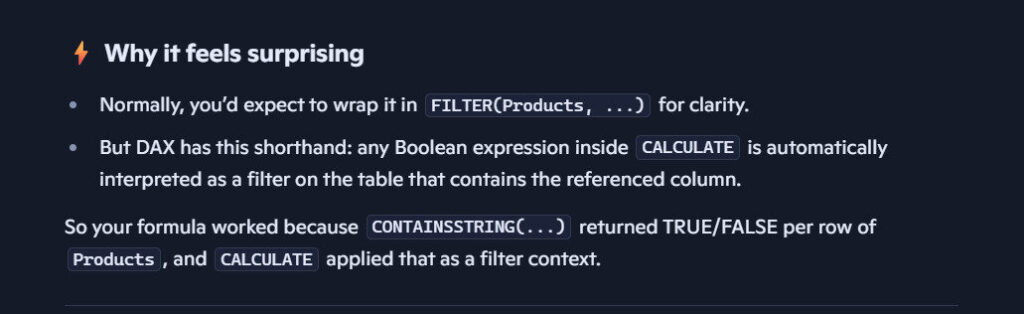
We did go ahead to mention that our code worked and here’s a screenshot from CoPilot:
From my experience writing DAX, I know that the DAX engine is more flexible and can evaluate boolean expressions inside CALCULATE without throwing errors – even though the textbook says “wrap with FILTER”.
And the truth is: AI is simply repeating the textbook. Not the engine behaviour.
The Lesson: AI is Helpful, But It’s Not Your Brain
Let me say this clearly:
AI is a fantastic assistant. But it should never replace your understanding.
If we had trusted AI blindly, we would have:
thrown away working code
believed something was wrong when it wasn’t
AI is a tool. Not a teacher. Not an authority. Not your senior colleague at work. Definitely not your boss.
And most importantly:
AI is not a substitute for verifying your results.
The Real Danger – Over-Reliance
The problem isn’t that AI makes mistakes. (We all do. Even doctors and pharmacists make medication errors.)
The problem is when people rely on AI without understanding anything.
Because:
AI speaks with confidence (sometimes too confident 🤔)
Beginners don’t know enough to challenge the answer
People copy and paste blindly
False confidence grows
Thinking stops
Skills do not develop
Before you know it, someone is building a full Power BI model based on wrong instructions… and blaming Microsoft for “bugs”.
Use AI. But Think for Yourself.
Here’s my advice:
Use AI to speed up your work. BUT always test, verify, and think independently.
As data professionals, our true strength is not copying code – it’s understanding why the code works.
AI is an assistant, not your brain. It can help you, but don’t allow it to do your thinking for you.
Because sometimes, even AI fails a simple DAX question that Power BI already solved correctly.
And that – my friend – is why we must remain students of the craft, not of the tool.